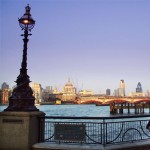
Improving photos with Photoshop by a Graphic Designer

city-south-bank-s

The above picture is one of my snaps taken very quickly at the end of clearish autumn day. I have improved this picture with Photoshop by selecting certain areas and altering the colour, brightness and contrast. I first thing I did was to copy the photo to a new layer (Cmd/Cntl-J) I then use my [...]

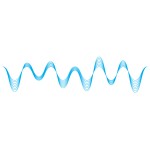
How to design sound waves in Illustrator
sound-waves

This is a nice little trick using Illustrator’s Blend option. To create perfect sine-waves – or something very close – first of all, draw a line. Then go Filter > Distort > Zig Zag… and choose the number and height of waves you want (remembering to click the smooth radio button, otherwise you’ll get a [...]

How to do distressed, grunge or rubber stamp designs in Photoshop

grunge-s

Put type or whatever you want distressed, grunged or “rubber stamped” on one layer in Photoshop with a white background layer beneath it. The create a blank layer above it (Cmd/Ctl-Opt-Shift-N). Then you need to create some clouds. Very easy. First of all make sure your background and foreground colours in the Tools palette are [...]

How to design shiny interface buttons in Illustrator

go-icon-button

These little buttons take a few seconds to make in Illustrator and give a nice polished, “web 2.0″ feel to a website or interactive environment. Firstly, when creating this shiny effect in Illustrator remember to make the document RGB. Go File > Document Color Mode > RGB. It won’t work otherwise. Many thanks to Simon [...]

Download the free e-books "How to Market Yourself Online" & "Starting An Online Business"

How to get clients online and advice on starting up online!

  • Creating websites
  • Setting up WordPress
  • Writing blog posts
  • Getting links
  • Driving traffic to your site
  • Using social media
  • Getting clients
  • Getting found on Google
download icon
download button

