
I haven't written as many posts as I would have liked on this blog in the last couple of months. The reason? I have been creating an e-book which will be used as an incentive for join my mailing list. It's ready now! Why did I do this? Many reasons ... I wanted to do something a bit different; to … [Read more...]
How to make PowerPoint presentations and Word documents look beautiful

If your client hands you a .PPT from MS PowerPoint or and .DOC Word and says: "The presentation/print deadline is tomorrow, make this look nice", what are you going to do? The answer is to use other programs such as Photoshop, Illustrator, InDesign, Quark, Premiere or Keynote and get … [Read more...]
Choosing colours while designing
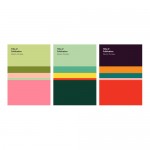
Choosing a group of colours can be a daunting exercise. OK, so there's some golden rules to follow, like "always choose from the same third of the colour wheel". Golden rules are made to be broken. Adobe has a colourful website to make this a bit easier. If you sign in you can download the … [Read more...]
Designing screen PDF newsletters – Why and How?

Question: How can you disseminate a graphically interesting, beautifully designed small book to a large number of people cheaply? Answer: Email a PDF. Almost every computer has Adobe Reader (formerly called Acrobat Reader) and PDFs are widely used as a way to present information with a fixed … [Read more...]
Designing PDF newsletters
The first rule of making PDFs is easy... do it in InDesign, don't even think of doing it in Quark. Navigation, linking to the web and even playing movies can be sorted out in InDesign first before the PDF is made. This way when the client has added his changes these elements don't have to be re-done … [Read more...]
Download my 2 free e-books and 2 free MP3s on running an online business & getting clients
Plus a list of my 12 favorite resources for online business



